
Sharing a luxury van should make ordinary travel easier, not make every change of driver a small mystery. When spouses trade places, a family member takes the next leg, or a business partner drives home, the useful questions are simple: who has the working key, how do the doors behave, and can the next driver settle into a comfortable, clear view without guessing?
A calm ten-minute stationary demonstration can reveal more about that ownership experience than an attractive equipment list. It is a convenience test for the exact van, not a road test, an inspection substitute or a claim that every conversion has seat memory.
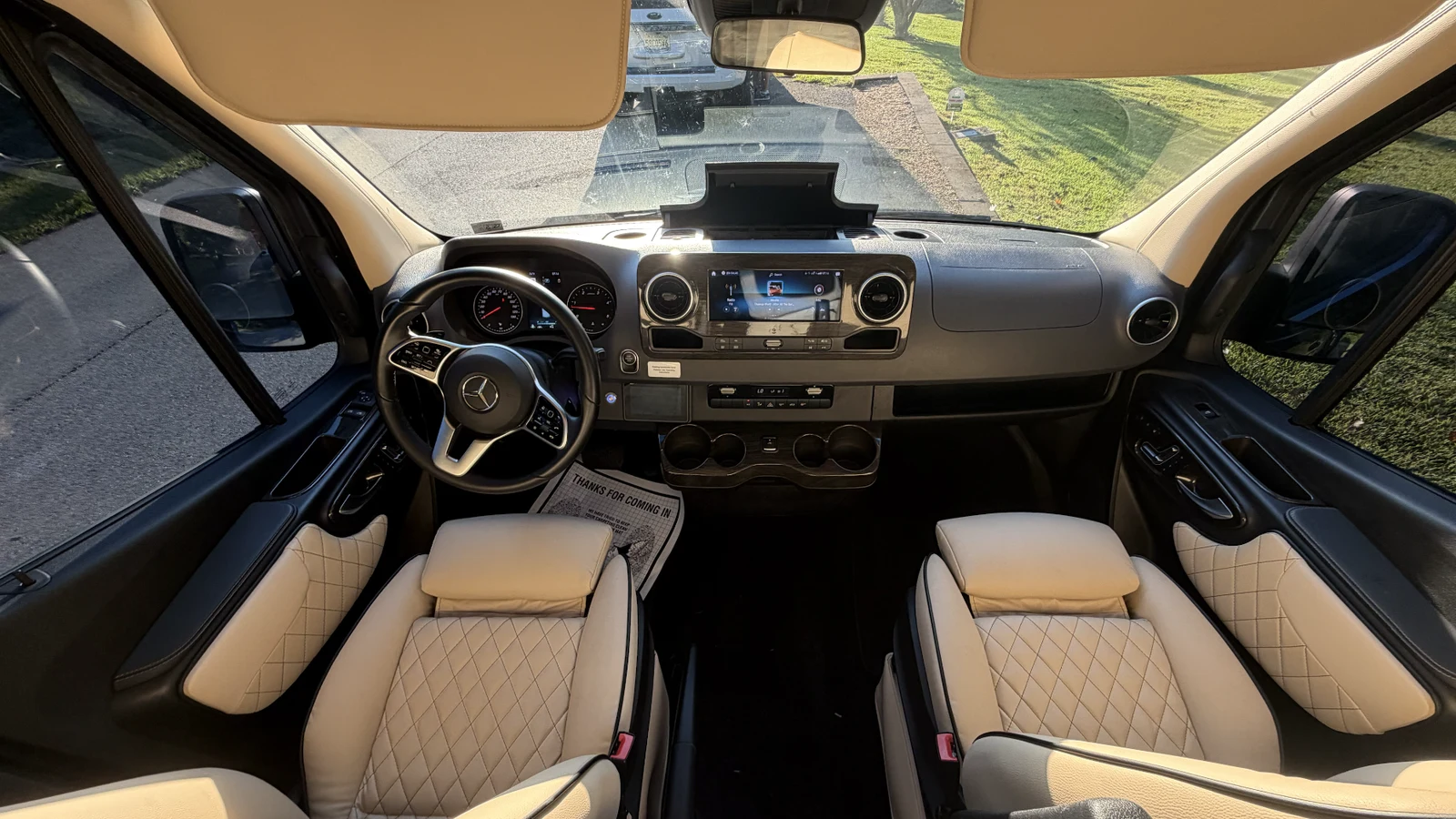
Illustrative photo: the front seats, dashboard, steering wheel, door controls and exterior mirrors of a Dufourfun-owned 2023 Ultimate Coach inventory van. The photo does not establish electric adjustment, seat memory, key functions or MBUX profiles in any van you are considering.
Start with the actual drivers and the actual manuals
Bring the two people most likely to share driving if practical. A useful handoff demonstration includes both of their seating positions rather than only the salesperson's preferred setup. Ask permission before changing settings, park securely, apply the parking brake and follow the seller's instructions for any stationary electrical demonstration. Keep people clear of seats and doors as they move.
Find the chassis model year and the applicable instructions through the Mercedes-Benz Vans owner-manuals directory. A conversion model year does not necessarily identify the correct chassis manual. Ask for the upfitter's instructions too, especially when the passenger door or cabin electronics have been changed.
The 2025 Sprinter Operator's Manual is a model-year reference, not proof of your candidate's options. Manual and electric adjustment, memory equipment and multimedia functions must be identified in the exact vehicle. If the demonstration takes longer than ten minutes, allow more time rather than rushing a door or seat procedure.
Run the ten-minute stationary handoff
1. Minutes 0 to 2: put every key and remote on the table
Ask the seller to show the exact number of keys and separate conversion remotes included in the proposed sale. Count what is physically present, not what a listing or an old photograph suggests. Check each housing, button and any emergency key for obvious damage or missing pieces. Have each device demonstrated individually so one working remote does not conceal a second untested one.
Record what each button actually does. Does an unlock press release the front doors, all doors, or a different group? Is there a separate control for the sliding door? Does a conversion remote control an added system rather than the chassis locks? Do not assume identical-looking buttons behave identically, or that a light flash proves every door is secured.
One working key may be manageable for a single driver but inconvenient for a household sharing trips. Several remotes can provide useful separation of functions while creating more items to keep track of. Ask about replacement and programming arrangements and obtain any proposed cost from the responsible provider rather than assuming a price.
2. Minutes 2 to 4: demonstrate doors and manual access
With the seller supervising and openings clear, try the front doors, sliding door and rear doors using the demonstrated lock and unlock settings. Confirm the actual result at each door. Ask whether any added powered entry system has separate operating instructions or a manual procedure. Luxury conversions can alter door equipment and electronics, so the chassis manual may not answer every question.
Have the seller identify the emergency/manual access method and demonstrate it only as the applicable instructions permit. Know where the emergency key is, which lock it operates and what to do if a remote does not respond. This is not an invitation to force a powered door or experiment with a concealed release. Keep someone with a working key outside during the demonstration and do not leave children or pets in the van.
The relevant sections of the Sprinter Operator's Manual are a useful starting point for SmartKey and door operation. Resolve any difference between those instructions and the conversion with the seller or qualified service provider before relying on an unfamiliar procedure.
3. Minutes 4 to 7: change drivers, not just seat presets
Have the first driver adjust the seat and backrest, then check steering wheel position and mirror visibility while stationary. Confirm which adjustments are manual and which, if any, are electric. Find a comfortable position with a clear view of the instruments and surrounding area, then have the second driver repeat the process. A seat that suits one person may need substantial adjustment for another.
If the exact van has memory, ask how many positions it supports and how many actually work. Test every available position under the installed instructions, with nobody obstructing seat travel. Note which settings return and which still require adjustment. Do not assume mirrors or steering wheel position are stored with the seat. Never adjust or recall a driver memory position while moving.
A manual seat is not automatically a poor ownership choice. It may be straightforward for drivers with similar preferences. Working electric adjustment and memory can make frequent exchanges easier, but only if the controls are usable and the saved position suits the incoming driver today. Memory does not replace a pre-drive safety check.
4. Minutes 7 to 9: confirm the screen and camera view
Ask the seller to show the camera view while the van remains securely stationary, following the correct procedure and keeping the area clear. Confirm what the installed screen displays and whether the incoming driver can see it comfortably. Do not infer a surround-view system, blind-spot coverage or any other camera capability from a dashboard photograph. A camera image supplements, rather than replaces, looking around and checking mirrors.
Discuss MBUX profiles only if the exact vehicle has them and the seller demonstrates them. Ask which preferences change, whether both drivers can select their own profile, and what must still be adjusted separately. A multimedia profile is not necessarily a seat-memory preset. Do not infer that a saved name on a screen restores seat, mirrors or wheel position.
Keep all menu exploration parked. NHTSA's distracted-driving guidance explains that activities diverting attention, including navigation and stereo adjustments, can interfere with driving. Set the necessary preferences before departure; stop safely if a change needs attention later.
5. Minute 9 to 10: agree where the key goes
Physically hand the working key to the incoming driver and choose a consistent, secure place for it during the trip, following the van's instructions. It should not be buried in a departing passenger's bag, left loose near pedals or left in the van after everyone exits. If the vehicle requires a particular key location or operating procedure, demonstrate that rather than guessing from another vehicle's keyless system.
Agree who carries the spare and who checks that the passenger doors are closed before departure. Keep the routine brief enough to use at a hotel, a family pickup or the office, not just in a showroom.
Write a small handoff record that stays useful
| Item | What to record from the exact van | What not to assume |
|---|---|---|
| Keys and remotes | Number included, condition and function of each tested device | That two similar remotes both work |
| Door access | Which buttons release front, sliding and rear doors; manual instructions location | That a lock flash confirms every conversion door |
| Driver setup | Manual/electric controls, working memory positions and settings actually recalled | That mirrors or wheel position follow seat memory |
| Display and camera | Demonstrated camera view and any demonstrated multimedia profile | That MBUX profiles are fitted or linked to seating |
| Trip routine | Who receives the key, secure key location and separate pre-drive checks | That a saved profile makes the driver ready automatically |
A simple written routine might read: transfer the key; close and check the doors; set seat, wheel and mirrors; fasten the belt; check surroundings and the displayed camera view when appropriate; set navigation before moving. Tailor it to the installed instructions. Record unresolved functions as unverified, not as included equipment.
Choose the van that works for shared ownership
For spouses who alternate regularly, an easy change of seating position may be more valuable than another passenger-cabin option. For business partners or staff, clearly identified keys and predictable door controls can matter more than elaborate personalization. For occasional family sharing, simple manual controls may be entirely comfortable.
Use current vans for sale to choose candidates, then run the same stationary handoff with each one. If you are planning a custom conversion, discuss your actual drivers and entry routines during custom van planning, and ask what can be confirmed for the chosen chassis and build. Neither an attractive interior nor a model name answers these ownership questions on its own.
The right result is not the longest options list. It is a van whose demonstrated controls make the next driver feel settled, informed and ready to perform their own checks before departure.
Image credit
Creator: Dufourfun Vans. Usage basis: business-owned inventory photo. Original source: Dufourfun inventory driver-area photograph. Transformation: EXIF orientation normalized; crop rectangle [0, 134, 1854, 1177] from 1854 x 1312 pixels; Lanczos resize to 1600 x 900; WebP quality 88. No generative editing, equipment addition or vehicle alteration. Illustrative 2023 Ultimate Coach driver-area image, not evidence of memory, electric adjustment, key functions or multimedia profiles in another van.